
logo
Send Message
Good price  online

products details

Created with Pixso. Home Created with Pixso. Products Created with Pixso.
Diagnostic Software & Spare Parts Catalog
Created with Pixso.

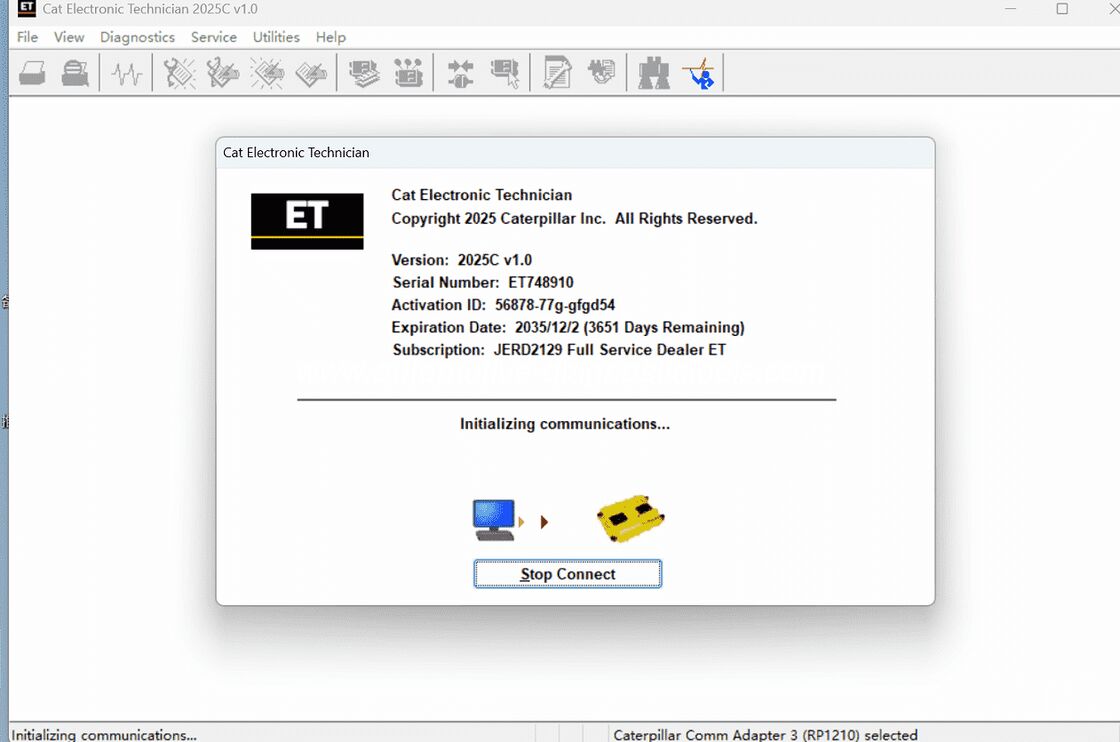
CAT ET 2025C V1.0 Electronic Automotive Technician Diagnostic Software

CAT ET 2025C V1.0 Electronic Automotive Technician Diagnostic Software

MOQ: 1 Set
Price: Best Price
Packaging Details: Standard Package
Payment Terms: TT/PayPal /Western Union/ Money Gram
Detail Information
Place of Origin:
China
Certification:
CE
Software Version:
2025C
Support Language:
English, Chinese, Danish, French, German, Italian, Japanese, Portuguese, Russian, Spanish
Supply Ability:
In Stock
Highlight:

car diagnostic software

,

auto diagnostic software

Product Description

Product Description

 
Latest Version Cat CAT ET 2025C Electronic Technician Diagnostic Software
 
Including 1-Time Free Activation
 
Note:
 

Once payment is completed, please contact us for remote installation service (valid for one PC, one time only).


Software download link:


https://mega.nz/file/qL4gzDLY#PPNfJg-G8Nez8OfRLKuS0MUMWUgxOZFY-VtHD3uM_UY

CAT ET 2025C V1.0 Electronic Automotive Technician Diagnostic Software 0

CAT ET 2025C V1.0 Electronic Automotive Technician Diagnostic Software 1
CAT ET 2025C V1.0 Electronic Automotive Technician Diagnostic Software 2
CAT ET 2025C V1.0 Electronic Automotive Technician Diagnostic Software 3
Diagnostic Software Cater-pillar ET 2025C(replaces CAT ET 2023A, 2022A, 2019C) :

About Cater-pillar ET 2025C Diagnostic Software

 
(Replaces CAT ET 2023A, 2022A, 2019C)
 
  1. Brand-new 2025C version for CAT / CAT3 truck scanners, built-in 10-digit factory password generator.
     
    Press the shortcut Ctrl + F2 to activate the password tool directly.
  2. Includes one free activation; download link can also be sent via email.
  3.  
  4. Multi-language support:
     
    English, Chinese, Danish, French, German, Italian, Japanese, Portuguese, Russian, Spanish
  5. Compatible operating systems:
     
    Windows 8 / 8.1 (32-bit & 64-bit), Windows 10 (32-bit & 64-bit)


PC, Communication Hardware & Cable Requirements

 
The following minimum specifications are required to run the service tool.
 
NOTE: Minimum configurations are for reference only for existing PCs. They are not recommended as a standard when purchasing a new PC for diagnostic use.
 

Recommended PC Specifications for CAT ET 2025

 
  • 2.0 GHz dual-core processor or higher
  • 4 GB RAM
  • 5 GB available hard drive storage
  • 12-inch or larger display, compatible with Windows desktop
  • OS: Windows 8.1 Pro, Windows 10 Pro, Windows 11 Pro
     
    (Windows 8 RT is not supported)
  • RS232 port with 16550AF UART or equivalent (for Comm Adapter II)
  • USB 1.1 / 2.0 / 3.0 / 3.1 port (for Comm Adapter 3)
  • Ethernet RJ45 or Wi-Fi adapter
  • Mouse or built-in pointing device
  • Recommended browsers: Internet Explorer 11, Microsoft Edge, Firefox, Chrome
     
    (Latest IE versions may not be fully verified)
  • Wi-Fi required for Wireless Comm Adapter 3
 
Important:
 
Laptops with ARM processors (Snapdragon 8cx, Microsoft SQ1, etc.) are NOT supported.


Function Overview

 
Cater-pillar Electronic Technician 2025C with WinFlash is an updated dealer-level diagnostic tool.
 
It helps technicians identify current and potential faults on all electronically controlled CAT engines and machinery.
 
To read vehicle data, the software must connect to the ECM (Electronic Control Module),
 
using a compatible diagnostic link adapter such as the genuine CAT Comm Adapter III.


Supported CAT Engines & Machines


Engines

 
  • Electric Power
  • Electric Power Generation
  • Industrial
  • Marine Power Systems
  • Oil and Gas
 

Machines

 
Articulated Trucks | Asphalt Pavers | Backhoe Loaders | Cold Planers
 
Compactors | Dozers | Drills | Excavators
 
Feller Bunchers | Forest Machines | Forwarders | Harvesters
 
Hydraulic Mining Shovels | Knuckleboom Loaders | Material Handlers | Motor Graders
 
Off-Highway Trucks | Pipelayers | Road Reclaimers | Site Prep Tractors
 
Skid Steer & Compact Track Loaders | Skidders | Telehandlers | Track Loaders
 
Underground – Hard Rock | Underground – Longwall | Underground – Room and Pillar
 
Utility Vehicles | Wheel Dozers | Wheel Excavators | Wheel Loaders | Wheel Tractor-Scrapers


What’s New — 2025

 
  • Automatic PSR Upload
     
    New function automatically uploads Product Status Reports when internet is available.
     
    Default: enabled; can be disabled in Preferences.
     
  • ECM Naming & Connection Status
     
    If an ECM is detected on only one data link, the software marks it INCOMPLETE
     
    and uses a new icon for incomplete connections.
     
  • CEOS Fleet Configuration File
     
    Create or modify CEOS (Customer Electronic Option Selection) files for engines,
     
    available in both connected and disconnected modes.
     
  • Trainer Update
     
    Added 988K XE Wheel Loader support in the Trainer module.
     
  • PSR PDF Export
     
    New option in Preferences: auto-save Product Status Reports as PDF
     
    (XML saving remains active).
     
  • Enhanced PSR Content
     
    Updated to include additional ECM history data:
     
    After-treatment Regeneration History, Service Test History, etc.
     
  • WinFlash Interface Upgrade
     
    New Expand All / Collapse All buttons for easier ECM viewing.
     
 
No other major new features or improvements in this 2025 release.


What’s New — 2019C

 
  • Selected Communication Adapter Indicator
     
    The currently selected adapter is shown in the bottom-right status bar
     
    when the software is not connected to equipment.


Known Issues & Troubleshooting


Error on First Launch

 
Some installations may show:
 
  • “Entry point could not be located in api-ms-win-crt-runtime”
  • “mfc140u.dll missing”
     
    This is related to Microsoft C++ redistributable updates.
     
    Contact us for a detailed step-by-step fix (requires administrator rights).
 

Windows 10 Update License Issue

 
Windows 10 updates 1709 and 1803 may corrupt the service tool license.
 
Future updates may cause similar problems.
 
If a license error appears, contact us for a repair guide.


Communication Adapter Setup (CAT Comm Adapter III)

 
To use CAT ET with Comm Adapter 3:
 
  1. Launch Cat Electronic Technician.
  2. Click Stop Connect if it appears.
  3. Go to the Utilities menu.
  4. Select Preferences > Modify...
  5. Open the Communications tab.
  6. Choose Cat Comm Adapter 3 (RP1210) and click OK.
 
NOTE:
 
“Enable Dual Datalink Service” is pre-checked for multi-link diagnostics.
 
Disabling it may lead to undetected ECMs and limited functions.


Package Includes

 
1 × Cater-pillar ET 2025C Software (delivered via online download)